Transform Android with iOS

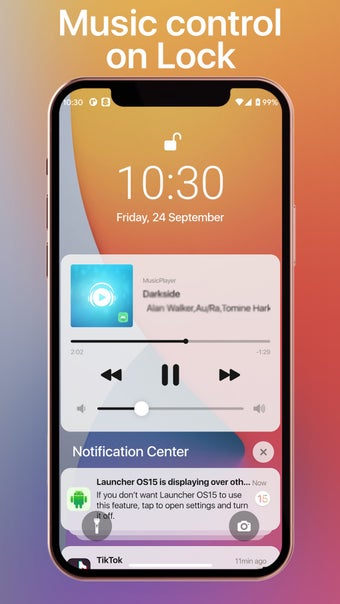
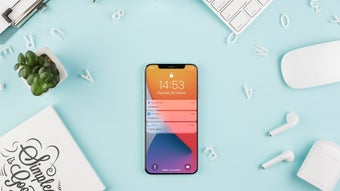
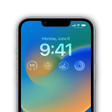
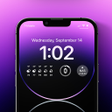
iLock Lockscreen iOS 16 is a free personalization tool developed by Huu Toan. This app is specifically engineered to transform the appearance and user interface aspects of Android devices, seamlessly emulating the design and aesthetics of Apple's iOS lock screen.

Customize mobile device lock screen

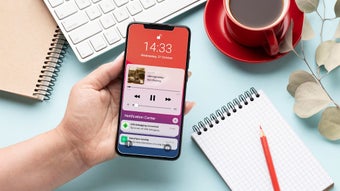
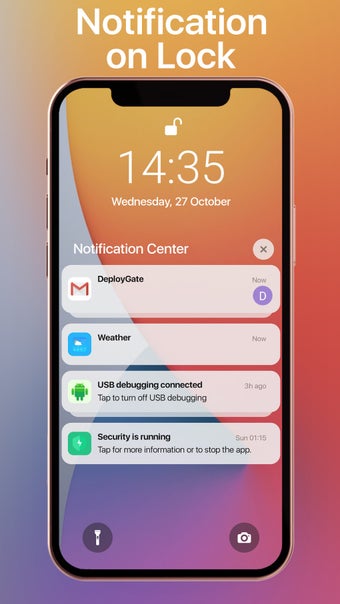
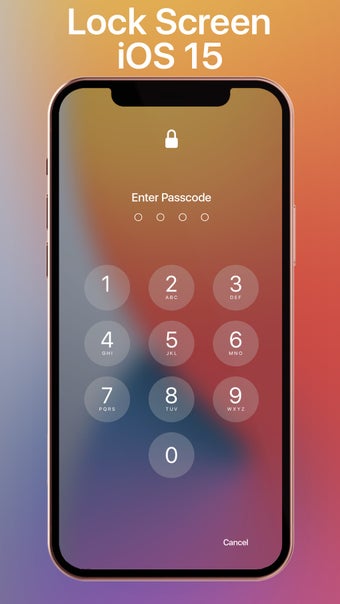
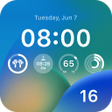
Within iLock Lockscreen iOS 16, you can tailor your lock screen experience by combining iOS-inspired passcode security with an array of captivating iOS wallpaper themes. This customization allows you to craft a distinctive lock screen that seamlessly integrates notifications on your mobile device. Additionally, the tool provides real-time date display upon device activation or waking.

This application strives to provide Android users with an unparalleled iOS-like experience. It empowers you to customize your devices, offering a glimpse of the iOS interface without necessitating a switch to an iPhone. However, it's worth noting that it might have a minor impact on device performance, potentially causing occasional lagging and freezing.

Revamp the lock screen appearance of your device

iLock Lockscreen iOS 16, developed by Huu Toan, transforms Android devices to mimic the iOS lock screen, offering customizable iOS-inspired passcode security and wallpapers. While providing an iOS-like experience without switching to an iPhone, it may slightly affect device performance with occasional lag and freezing.

  • Pros

    • With customization
    • Notification integration
    • No need for an iPhone switch
  • Cons

    • Technical issues
 0/5

App specs

  • License

    Free

  • Version

    2.1.3

  • Latest update

  • Platform

    Android

  • OS

    Android 9.0

  • Language

    English

    Available languages

    • English
    • German
    • Russian
    • Korean
    • Portuguese
  • Downloads

    15.4K

    Last month's downloads

    • 526
  • Size

    15.95 MB

  • Developer

  • Download Options

    APK, Google Play

  • Filename

    com.lockscreen.ilock.lockios.apk

Program available in other languages


User reviews about iLock Lockscreen iOS 16

Have you tried iLock Lockscreen iOS 16? Be the first to leave your opinion!

Add review

You may also like

Alternatives to iLock Lockscreen iOS 16

Explore Apps

Latest articles

Laws concerning the use of this software vary from country to country. We do not encourage or condone the use of this program if it is in violation of these laws.
Softonic

Is iLock Lockscreen iOS 16 safe?

100/100

Score result: Clean

This file passed a comprehensive security scan using VirusTotal technology. It is safe to download.

  • Virus free
  • Spyware free
  • Malware free
  • Verified by Security Partners

    VirusTotal logo

Scan Info

Last scan
Sunday, January 7, 2024
Scan provider
VirusTotal · Full report

File Integrity

File
com.lockscreen.ilock.lockios.apk
SHA256
499e89b887b2907f80c33357dc86cfac73a3bee20b731db5034513388160e437
SHA1
a6d78b5da7aaf6f766d117a5521e6259eb362866

Softonic security commitment

iLock Lockscreen iOS 16 has been thoroughly scanned by our advanced security systems and verified by industry-leading partners. This file comes from the official developer and has passed all our security checks, showing no signs of viruses, malware, or spyware. For more information, visit our Security and Trust Center